‏إظهار الرسائل ذات التسميات Custom Roms. إظهار كافة الرسائل

الاثنين، 13 نوفمبر 2017

Lineage OS 14.1 ROM on Samsung Galaxy Note 3 LTE SM-G925F (Unofficial) | for stock rom go to rompure.com

Good news to Samsung Galaxy Note 3 LTE SM-N9005 owners as the device has Received the unofficial port to Lineage OS 14.1. For those of you who are unaware. Lineage OS is the company which will be taking control of CyanogenMod services from now on.


Lineage OS is based on CyanogenMod running Android Nougat ROM, flashing this ROM should be the same as CM14.1 ROM. Head over here to check out the progress of official builds and so forth, if you’re not okay with installing unofficial builds.


Precautions 

•This tutorial is only for installing Unofficial Lineage OS 14.1 ROM on Samsung Galaxy Note 3 LTE SM-N9005. Please do not try on any other Samsung Galaxy Note 3 Variants.

•Samsung KIES will NOT detect your phone after installing this ROM because it is a custom firmware

•Your phone should be Rooted & have a Custom Recovery installed in order to install this CM14 ROM on your phone.

•We will be using TWRP Recovery for this tutorial.

•This tutorial will wipe out all your data. Make sure you backup all your data in your phone before proceeding.

•Perform a Dalvik Cache wipe before proceeding from the Recovery Mode.

•Battery Must be Charged above 92% before using this Tutorial.


How to Install Unofficial Lineage OS 14.1 ROM on Samsung Galaxy Note 3 LTE SM-N9005


Step 1 – Download Unofficial Lineage OS 14.1 ROM  for your Samsung Galaxy Note 3 and Nougat 7.1 Gapps to your computer.

Step 2 – Connect and mount your Samsung Galaxy Note 3  (USB memory on your computer using the USB cable.

Step 3 – Now copy/paste the downloaded Unofficial Lineage OS 14.1 ROM zip file to your SD card. Make sure the file is in the SD card root (not in any folder).

Step 4 – Then turn OFF your phone and disconnect from the USB cable.

Step 5 – Now to get in the Recovery Mode. Switch ON the phone while pressing and holding Volume Up + Home + Power buttons together.

Step 6 – Once you are in ClockworkMod Recovery, select perform a full data wipe by selecting “wipe data/factory reset”. Use the Power button to select everything while in the Recovery Mode.

Step 7 – Then, perform a cache wipe by selecting “wipe cache partition”.

Step 8 – Now this is optional, but it is recommended to perform a wipe of your dalvik cache as well. You will not get into boot loops or any other errors. From CWM recovery, go to ‘advanced’ and then select “wipe dalvik cache”.

Step 9 – Then go back to the main Recovery screen and select “install zip from SD card”.

Step 10 – Now select “choose zip from sdcard”. Using your volume keys, navigate to the Unofficial Lineage OS 14.1 ROM zip file that you copied to your SD card and select it using the Power button. Confirm the installation on the next screen and the installation procedure should start now.

* Nougat 7.1 Gapps: Repeat the above step for the Gapps zip file as well and install it on your tablet.

Step 11 – After the installation completes, go to “+++++Go Back+++++” and reboot the phone by selecting “reboot system now” from the recovery menu .

Your Samsung Galaxy Note 3 LTE SM-N9005 will boot now and it might take about 5 minutes to boot on your first time. So, please wait.

That’s it! Your Samsung Galaxy Note 3 LTE SM-N9005 should now have Unofficial Lineage OS 14.1 ROM installed on your phone! Go to Settings > About phone to verify.

السبت، 11 نوفمبر 2017

Unofficial LineageOS 14.1 ROM For LG L90 (w7)| for stock rom go to rompure.com

Good news for LG L90 users as the device has Received the unofficial port to Lineage OS 14.1. For those of you who are unaware. Lineage OS is the company which will be taking control of CyanogenMod services from now on.
Lineage OS 14.1 allows you to run Android Nougat 7.1 for your LG L90


REQUIREMENTS

•This tutorial is only for installing Unofficial Lineage OS 14.1 ROM on LG L90 (w7). Please do not try on any other LG L90 Variants.
•Your phone should be Rooted & have a Custom Recovery installed in order to install this CM14 ROM on your phone.
•We will be using TWRP Recovery for this tutorial.
•This tutorial will wipe out all your data. Make sure you backup all your data in your phone before proceeding.
•Perform a Dalvik Cache wipe before proceeding from the Recovery Mode.
•Battery Must be Charged above 92% before using this Tutorial.

Disclaimer

Android Custom ROM fix ® provide various Firmware Updates and Rooting process along with Custom ROM,Modes,file are all belong  to their owners/developers. The autor of this site or the developers are not responsible,  if you damage or brick your device.Do it on your own risk and follow the instruction properly.


How to Install Unofficial Lineage OS 14.1 ROM on LG L90 (w7)

  1.  Download the Lineage OS 14.1 LG L90 (w7) and Nougat 7.1 Gapps to your computer.
  2. Connect and mount your Galaxy S6 Edge SM-G925F USB memory on your computer using the USB cable.
  3. Now, copy/paste the downloaded Unofficial Lineage OS 14.1 ROM zip file to your SD card. Make sure the file is in the SD card root (not in any folder).
  4. Then turn OFF your phone and disconnect from the USB cable.
  5.  Now to get in the Recovery Mode. Switch ON the phone while pressing and holding Volume Up + Home + Power buttons together.
  6. Once you are in ClockworkMod Recovery, select perform a full data wipe by selecting “wipe data/factory reset”. Use the Power button to select everything while in the Recovery Mode.
  7. Then, perform a cache wipe by selecting “wipe cache partition”.
  8.  Now this is optional, but it is recommended to perform a wipe of your dalvik cache as well. You will not get into boot loops or any other errors. From CWM recovery, go to ‘advanced’ and then select “wipe dalvik cache”.
  9.  Then go back to the main Recovery screen and select “install zip from SD card”.
  10. Now select “choose zip from sdcard”. Using your volume keys, navigate to the Unofficial Lineage OS 14.1 ROM zip file that you copied to your SD card and select it using the Power button. Confirm the installation on the next screen and the installation procedure should start now.
  11.  Nougat 7.1 Gapps: Repeat the above step for the Gapps zip file as well and install it on your tablet.
  12. After the installation completes, go to “+++++Go Back+++++” and reboot the phone by selecting “reboot system now” from the recovery menu.

الأحد، 27 أغسطس 2017

Color OS ROM For Advan S4A

[MT6572] Color OS ROM For Advan S4A


If you are bored using with your stock android on Advan S4A Mobile.Then you are at right place to modify the device.

Colour OS is one of the best custom rom with better features, colourful design and high quality camera etc...

This Rom is Based on OPPO R831 Styled and it would be awesome to taste that phone's rom to our advan s4a mobile.


[MT6572] Colour OS ROM For Advan S4A


Features :

Colour OS
Beautiful Designed
3G on Dual SIM Cards
All Languages Support
Very Smooth and Crispy looks
Tweaks Added 
Init.d Support

Download The ROM

How to Install :

Reboot Your Mobile to CWM Mode
Wipe Data/Cache/System
Install Zip From SD Card
Wipe Only Cache Now
The Reboot System!!

[4.2.2] Miui ROM For Vandroid Advan S4A

Ported Miui ROM For Vandroid Advan S4A


Miui ported for Advan S4A for by Mito A100 Member @Needrom member.

This Firmware is very stable and faster then stock firmware.

Build version is LITE Version (removed some unwanted apps).

If you are interested in porting this rom then Install only on MT6572 devices by replacing boot.img with your stock one.(needs unpack and add some miui scripts then repack and replace)


[4.2.2] Miui ROM For Advan S4A

Features :

All MIUI
Playstore Included
etc...


Download MIUI Lite For Adva S4A :

Click To Download

الأربعاء، 23 أغسطس 2017

[ROM] Advan Vandroid S4A SURABI OS


Advan Vanroid S4A MT6572 SURABI OS Custom ROM

This smartphone has been launched by local vendors of Advan Digital.this phone is cheap with fairly designed.although its a mediatek based device equipped with a dual core mt6572 chipset.

Here are some details of the phone :

Display : 4 inch with capacitive touchscreen
Processor : 1.2 Ghz Dual Core
RAM : 512 MB

Internal Memory : 4GB
Support upto 32 GB Expandable
Android Version : Jellybean 4.2.2

Note : This ROM is only for ADVAN S4A MT6572 Device, if you want to install On Other Phones then you have to port it by yourself... 


[ROM] Advan Vandroid S4A SURABI OS


Features Of this ROM :

Dual SIM 3G Support
NEW 5 TABS UI 
Volume Slider On StatusBAR 
S5 Settings
And Much More...

Download Advan S4A ROM :

Click Here To Download

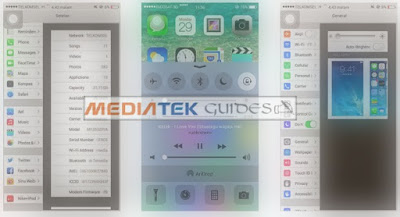
Ported IOS 7 ROM To Galaxy S5 Clone (GT-I9008)

iOS v7 Custom ROM Ported to Samsung Galaxy S5


A Needrom Member MBLAQNO22 has been ported this iOS 7 Custom ROM for the Fake Galaxy S5 MT6572 Based Phone.

This ROM is based on Stock Android of s5 used for porting.

Note :
Only install this ROM on mt6572 devices otherwise your device may brick or not booting up.


Ported IOS 7 ROM To Galaxy S5 Clone (GT-I9008)


Here are some details about the phone :

Phone Model : 
GT-I9008

Chipset :
MT6572

Baseband Ver : 
MOLY.WR8.W1315.MD.WG.MP.V1.P4, 2014/02/21 10:49

Kernel Version : 
3.4.5 (root@android-desktop) (gcc version 4.6.x-google 20120106 (prerelease) (GCC) ) #3 SMP Tue Jun 17 13:18:41 CST 2014

Features :

iOS 7 Look
Very Fast and Responsive
Android Jelly Bean 4.2.2
No Bugs in the ROM


Download iOS 7 ROM :

Click Here to Download

الاثنين، 21 أغسطس 2017

MIUI v5 Rom For Galaxy S5 Clone MT6572

MIUI Custom ROM For Samsung Galaxy S5 Clone


This Firmware is Based on STock Jellybean Based ROM.
Ported of this rom by MBLAQNO22@ Needrom Member

MIUI v5 Rom For Galaxy S5 Clone MT6572


IMPORTANT NOTE :
Please Don't Install This ROM On other Devices that don't have mediatek MT6572 with 512MB RAM

Model No. Of Clone Mobile : I9008

Baseband Version : MOLY.WR8.W1315.MD.WG.MP.V1.P4, 2014/02/21 10:49

Kernel Version : 3.4.5 (root@android-desktop) (gcc version 4.6.x-google 20120106 (prerelease) (GCC) ) #3 SMP Tue Jun 17 13:18:41 CST 2014 

Miui v5 ROM Features :


Deodexed ROM

Rooted With SuperSU
BusyBOX Installed
Miui Music
Miui Camera
Miui Gallery
Full Miui Apps
Miui Lockscreen
Themes
etc...


How to PORT MIUI V5 To All MT6572 :
Be Sure Your Mobile Should Have MT6572 Chipset and with 512MB Ram.
So Just Replace Boot.img with your's and flash that's it.

Download Miui ROM :

Click Here To Download

السبت، 19 أغسطس 2017

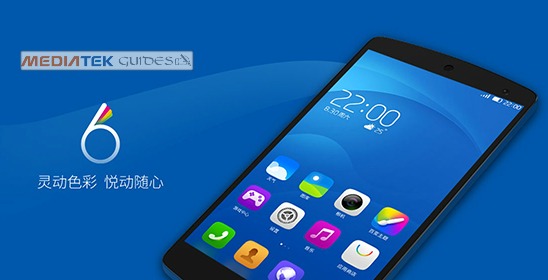
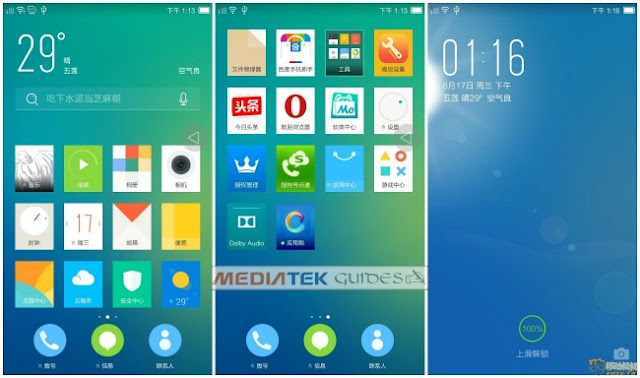
[Mt6572] LEWA OS v6.0 UI Custom ROM For All

LEWA OS (OS 6UI) For All Mediatek MT6572 Devices


This is the Third Party Operating System Based On Android Open Source Project.with the Depth Optimization and customization os Android.

Power Efficiency Custom Third Party ROM

LEWA is the first ever custom rom that it's supports DUAL SIM Stand By feature.


LEWA OS (OS 6UI) For All Mediatek MT6572 Devices


Features of this ROM :


Colourfull System Interface 

Excellent System Framework

Digital Sound Libs Added

Very Responsive and Smooth

Online Themes Support

RAM Management

Added Vietnamese Language

Added SWAP Cache Upto 200MB

Camera

Gallery

Lockscreen

and many more...


Download LEWA OS6.0 UI For MT6572 :

Click Here To Download

YUN OS v3.0 For All Mediatek MT6572 Devices

[MT6572] YUN OS v3.0 Download


YUN OS : This Operating System is also Known as Aliyun OS.

This OS is Specially Designed for Smartphones Based on Android Open Source Project (AOSP).

YUN OS v3.0 For All Mediatek MT6572 Devices

Features of this ROM :

Simple and Very Attractive UI

Colourfull Design

Life Center App For Any Helps and Services

Cloud Service Upto 100GB

Support Theme System

Digital Sound Quality

Better RAM Management

Floating Video Player Supported

YUN OS Launcher

YUN OS Camera

YUN OS Lockscreen

Fully Loaded With Google Apps ( Included PlayStore).

and Many More...

Download YUN OS v3.0 MT6572 :


Click Here To Download

IOS 7 Single Sim ROM For All MT6572 Devices

IOS 7 official Single SIM ROM For MT6572


This Mobile looks Very Closer to Original Iphone 5S, But this is Only a Clone Mobile and The Software on this clone is Android Based IOS Skinned Jellybean ROM.

It Definately Looks Like Original IOS Operating System.


IOS 7 Single Sim ROM For All MT6572 Devices


Some Features of this ROM :


IOS Launcher

Dialer

Status Bar

Calculator

Settings

Music Player

Browser

Camera

Gallery

IOS Lockscreen

and Much More...


DOWNLOAD IOS 7 Official Firmware From IPHONE CLONE :


Click Here To Download

[MT6572] Huawei Y511 Lollifox Custom ROM

Huawei Y511 Custom Modded Lollifox ROM

[MT6572] Huawei Y511 Lollifox Custom ROM


This ROM Only supports for Huawei Y511 U30 Edition. Mediatek Powered MT6572

Its a INITIAL Release ROM

Fixed Loudspeaker BUG 

Added SuperSU

Added Battery Calibration Application

Adway Added

Replaced NexMusic with Shuttle Music Player

PreInstalled Xposed Installer and L- Call Module 

sEFIX App Added 

How to USE sEFIX App :

Open the App
Grant the ROOT Permision 
That's IT


Download Huawei Y511 Lollifox Custom ROM :

Click Here To Download

[MT6572] ADVAN Vandroid S3 Official Stock ROM Download

ADVAN S3 Official Stock Jellybean Firmware

[MT6572] ADVAN Vandroid S3 Official Stock ROM Download


Mediatek Powered MT6572 Dual Core Device.

Its a DUAL SIM Smartphone 

Sports with a 3.5 Inch Screen Size

Internal Memory In this phone is 512 MB

RAM on this Device is Only 256MB

Supports External Memory Card Upto 32 GB

Connectivity : WLAN, Bluetooth, Hotspot, USB 2.0 Cable...

Rear Camera : 2MP

Front Camera : Only VGA

Android OS : Jelly Bean

Build No : V1.0-J.B_4.2 MT6572

Download Advan S3 Official Stock ROM :

Click To Download

[MTK6572] LG G4 UI ROM For All Mediatek Dual Core

[MTK6572] LG Super Lop Modded ROM


[MTK6572] LG Super LOP ROM For All Mediatek Vietnam Support


This rom supports for all Mediatek Dual Core Mobile Having MT6572/M.


Rom is Highly modified to look like LG G4 UI Interface.

Added Many Tweaks

Deodexed

LG Locksceen

LG Wallpapers

LG Launcher

LG System UI

Lollipop Easter EGG


Download LG Super LOP ROM :

Click Here To Download

الجمعة، 18 أغسطس 2017

[MT6571] Fake Samsung Galaxy S5 Stock Firmware

Samsung Galaxy S5 [SM-G900H] - Stock ROM


Fake Galaxy S5 Official Stock Firmware by Mananpa @Needrom Member

This Firmware is Only For Mediatek MT6571 Dual Core (Not For MT6572). Please Check Before Flashing.

Samsung Galaxy S5 [SM-G900H] - Stock ROM

S5 Clone ROM Information :


For Phone Model : SM-G900H

Chipset Info : MT6571

Build Number : ALPS.JB7.MP.V1.14

Build Date : UTC: 20141218-090836

Baseband Version :  moly.wr8.w1315.md.wg.mp.v38 2014/03/28 13:58

LCD Driver Info : IC: 1_sh_1282g_fwvga_dsi_vdo_boe

Download ROM :

Click Here 

Flashing Steps :

In SP Flash Tool Select MT6571_Android_scatter_s806_lca2.txt and Click Format ALL + Download 

Now Select Another MT6571_Android_scatter_for_v5.txt​ and Click Download (Mark Only Preloader and Uboot)

IMEI Fixing MT6571 :

Extract userdata_nvram_only.tar
Now Copy All NVRAM Files to /data/nvram (Use RootBrowser)
Reboot The Phone.
Now Open Engineer Mode On Your Phone By Dialing *#*#3646633#*#*
Go to GPRS Settings and Write Your Boxed IMEI  or (Take From Phone. You Can See Your IMEI By Removing Battery) 
Reboot and Enjoy!


IOS 8 Custom Rom For All MT6572/M

IOS 8 Custom ROM For ALL Mediatek MT6572


This is only a Custom Designed IOS 8 Rom. Based on Android Operating System 4.2.2 with Root Access.

ROM Looks Very Rich and Very Responsive . 

IOS 8 Custom ROM For ALL Mediatek MT6572

Features Of This IOS 8 ROM :


Odexed ROM
Rooted With SuperSU
Original IOS 8 Like Skinned Android Jellybean OS
MultiLanguage Supported
Iphone IOS 8 Lockscreen
Super Smooth OS
Google Apps Included
Pre-Installed SiRi
Dual Sim Supported with 3G
Compass
IOS 8 Like Recent Apps
ROM Supported S4 Features Like Smart Scroll, Smart Pause
Apple Touch ID Simulation
Passcode To Lock Phone
ICloud
IOS 8 Like Transition Effects
Support Gestures
Apple Boot Animation
And Much More...


Download IOS v8.0 UI For All MTK6572 Devices :

Click Here To Download

[MT6589] LG G3 Rom For All Mediatek Clones

LG G3 Rom For Mediatek MT6589


Hello All,

Welcome to Mediatek Guides

This rom is only supports mediatek 6589 Quad Core Devices.

It has been Ported by Needrom Member @shivasharmaarya

Rom is based on Kitkat 4.4.2 (LG G3 Clone UI)

This is one of the best rom for all MT6589 Clones and UMI X2 Devices.

[MT6589] LG G3 Rom For All Mediatek Clones


Rom Information :

Lag Free
Super Smooth
Colourful UI
Camera
Gallery
Etc...

Bugs :
None

Note : We are not responsible for any kind of damages happen and also remember 1GB Partition isn required for better performance.

Download LG G3 Clone Rom For All Mediatek MT6589:

How to Install LG G3 MT6589 Rom :

Download Rom From Above Link
Copy it to your SD Card
Reboot your Device into Recovery Mode
Wipe/Data/Cache/Dalvik/System
Install Zip From SD Card
Reboot To System
Enjoy

الخميس، 17 أغسطس 2017

[Firmware] HTC 210 Plus Vietnam MT6572M ROM

HTC 210 Plus Mobile Vietnam Custom Rom Available Here To Download


This is the custom rom for HTC 210 Mobile So the rom is compatible Vietnam Language.
and the Android Version of this rom is 4.2.2 


[Firmware] HTC 210 Plus Vietnam MT6572 ROM


Some of the features of this Mobile :


Based On Stock ROM

HTC Sense 5.0 UI Including Icons

HTC Sense 5.1 Launcher

Flashlight BUG Fixed

Internal Storage Fixed


Bugs in this custom rom :
Some times MEDIA Scan Dose'nt Works needs to restart Phone.


Download HTC 210 Custom ROM :

Click Here To Download


[ROM][MT6572] Samsung Galaxy S6 Clone SM-G920F

Samsung Galaxy S6 - G920F Fake (Official ROM)


Fake Clones Getting Popular in these Days. They Release Phones with a Cheap Low Quality Mediatek Chipsets.

So if you have bought the Samsung S6 Clone (SM-G920F) and wanted the Official Firmware.

Samsung Galaxy S6 - G920F Fake (Official ROM)

ROM Information :


Build : ALPS.KK1.MP6.V1

CPU : Mt6572

Device Model : SM-G920F

Non Rooted

Single SIM

Multi Language


Download Samsung Galaxy S6 Clone Official Firmware :

Click Here


Installation :

Use SP FLASH Tool
Click Upgrade and Wait For Finish
ENJOY

[4.3][MT6572] BAIDU OS Latest Version

Baidu OS Custom Rom For All MT6572 Users


Baidu is a Chinese Based Custom Operating System Based On Android Open Source Project.

The Rom has Great Features and full of customizations with an Massive Online Wallpapers, Themes and Much More...

Baidu OS Custom Rom For All MT6572 Users

Some Features Listed Here :


Full Baidu OS
Dual SIM (3G Support)
Themes Support
Lots of FONTS Added
ViPER4Android Sound FX Added
Music Player
Video Player
Camera
SwiftKeyboard
Bravia Engine 3 and XReality Pro added
Google GApps Pre Installed
Multi Window
Xposed Installer
Colourfull UI
 

Download Baidu OS For All MT6572 :

Click Here

How to Install :

Root Your MT6572 Mobile
Install Custom Recovery Like TWRP or CWM
Now Reboot Into Recovery
Wipe Cache/ Data/ System
Install Zip (ROM File)
Reboot and Enjoy

الثلاثاء، 15 أغسطس 2017

[MT6572] iPhone i6 6S (Fake) Clone ZH-00008(A) Firmware

Iphone i6 6S Clone Official Stock ROM


This rom is only for china iphone 6S Based on Mediatek 6572 Dual Core Processor.
Rom has been published by mananpa in Needroms.

The Android Version Of this Rom is 4.4.3 Kitkat. But it designed to look like IOS 8 Interface. 

Phone Model :-

iPhone i6 6S MTK6572 ZH-00008(A)

Multi Language Support 


[MT6572] iPhone i6 6S (Fake) Clone ZH-00008(A) Firmware


Download IPHONE i6  6S Clone ROM :

Click Here To Download


How to Install Iphone 6S Clone ROM:

First Unpack the downloaded rom  
And Select the MT6572_Android_scatter.txt On SP Flashtool
 
Click  "Download" Option In Flash Tool

Remove the phone battery and connect it to your PC


Press Vol+ and Vol- and/or Power button simultaneously and do not release while Connecting  the data cable
The flash process is started
 
When Green Circle Appears That means Flashing is Successfull..